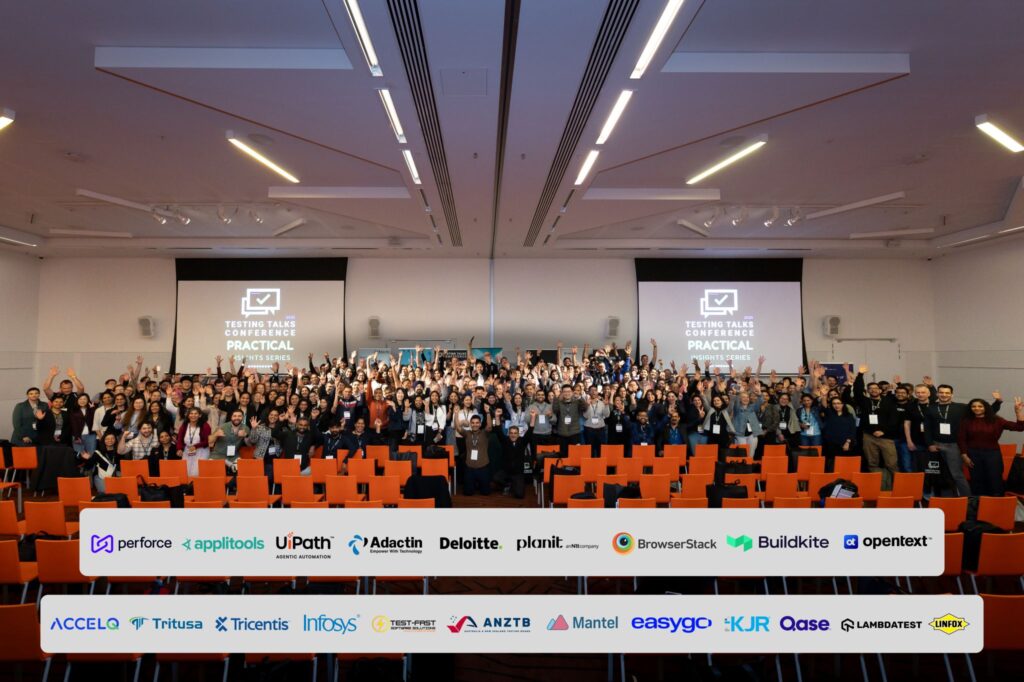
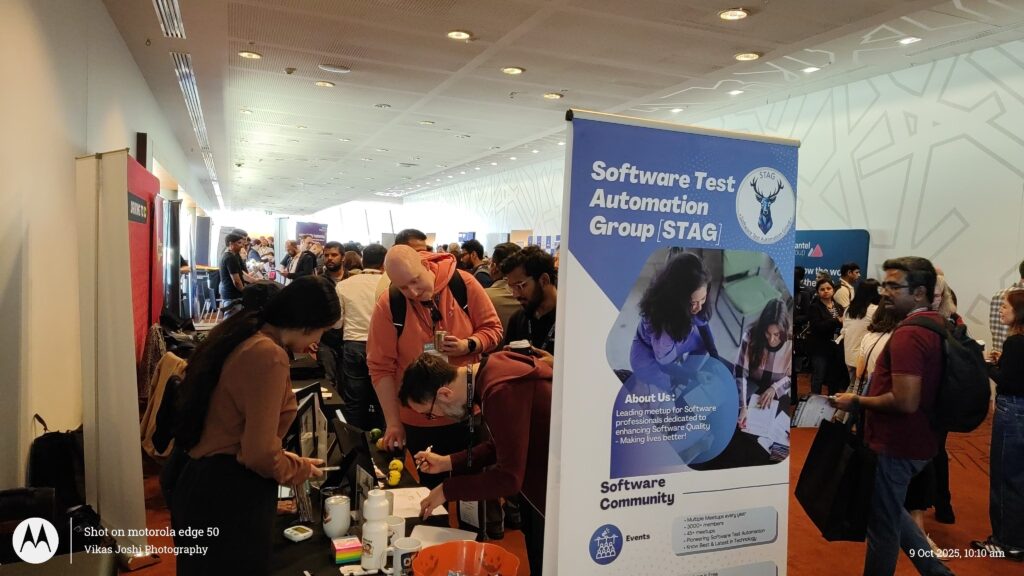
We’re excited to share the incredible highlights from the Testing Talks Conference Melbourne 2025, where STAG proudly partnered as a Promotional Partner and Test-Fast joined as a Gold Sponsor — making it one of the most inspiring events in Australia’s testing community!
🌟 A Record-Breaking Event
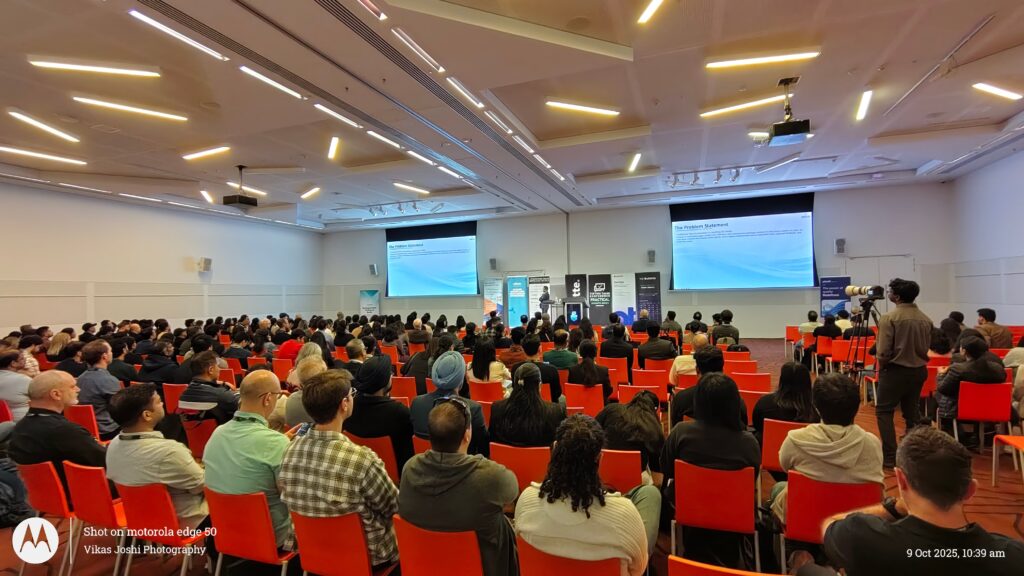
This year’s conference brought together 550+ passionate testers, engineers, and innovators, setting a new benchmark as Melbourne’s largest testing conference to date.
The community energy was truly electric — with the hashtag #TestingTalksConference trending on LinkedIn and reaching over 500,000+ engagements from professionals across the globe.
⚔️ A Proud Moment on Stage
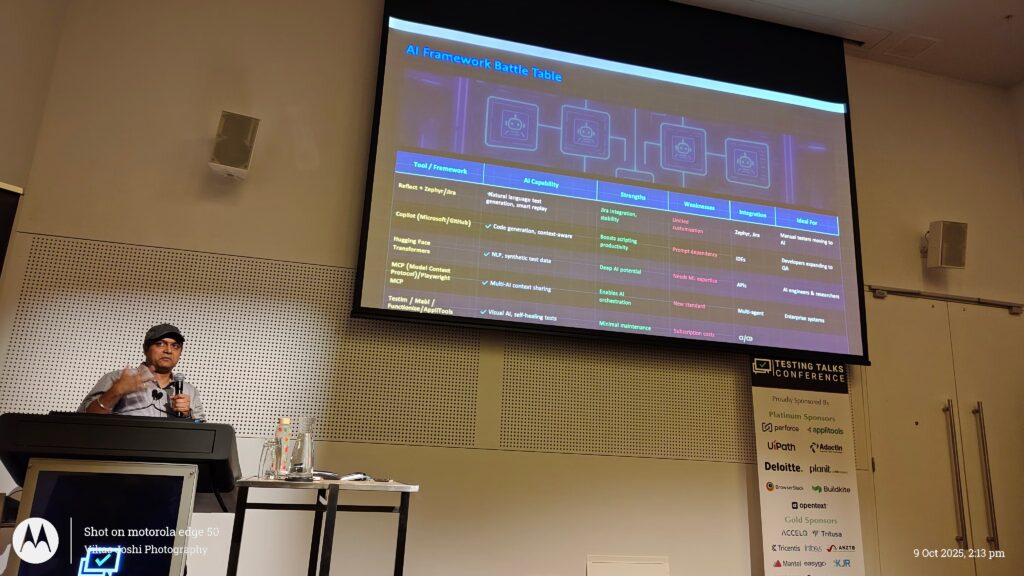
It was an honour for Vikas Joshi, Founder of Test-Fast and STAG, to take the stage and speak on “Battle of AI-Powered Test Automation Solutions” 🤖 — a perfectly timed topic as our industry stands at the crossroads of AI-driven transformation in testing.
🎯 Event Highlights
Record-breaking participation and engagement
Massive social media buzz and visibility for all sponsors
Continuous learning through initiatives like QE Best Practice Posts, Sponsor Spotlights, and the AI Academy
📸 Relive the Moments
Get a glimpse of the excitement and share your favourite moments:
A huge thank you to Cameron Bradley and the Testing Talks team for hosting such an impactful and engaging event, and to everyone who continues to support STAG’s mission of empowering the testing community through innovation, collaboration, and knowledge sharing.
🌐 Join the STAG Community
Stay connected and be part of our growing global test automation movement!
When most people outside of the Quality Assurance (QA) and Software Testing world hear “QA,” their first thought is usually defects. They imagine testers hunting for bugs, logging them in a tracker, and then measuring the success of testing by how many issues were raised.
While finding defects is certainly part of the role, it is only one slice of what QA truly represents. The essence of QA goes far beyond defect counts—it’s about ensuring the entire system of delivery works efficiently and consistently to produce a successful product.
Defects Aren’t Always in the Code
A software defect isn’t limited to a faulty button or a crashing app. Defects can appear in:
Processes – Missing requirements, unclear acceptance criteria, or lack of proper reviews can all introduce gaps long before coding begins.
Projects – Poor planning, unrealistic timelines, or lack of communication across teams can derail quality even if the code is flawless.
People – Skills gaps, unclear responsibilities, or ineffective collaboration can slow down delivery and increase risk.
In all these cases, QA plays a vital role in identifying and addressing the “defects” that threaten product success.
QA as the Guardian of the Delivery Pipeline
Instead of being confined to testing at the end, modern QA functions across the entire lifecycle. Effective QA professionals:
Ensure requirements are testable and unambiguous.
Champion process improvements to avoid repeated mistakes.
Facilitate better communication between business, developers, and stakeholders.
Provide data-driven insights (quality metrics, coverage, risk areas) rather than vanity metrics like defect counts.
Enable automation and continuous testing to keep pace with rapid releases.
By doing so, QA helps teams not only deliver a defect-free product but also improve how the product is built and delivered.
Success Is Not “Zero Bugs”
A successful release is not one where QA raised hundreds of defects. Nor is it one where zero defects were logged. Success is when:
The product meets business and user expectations.
Risks are identified early and addressed appropriately.
The team continuously improves its processes, reducing waste and delays.
Delivery is predictable, sustainable, and of consistent quality.
QA is the custodian of this outcome.
The Bigger Picture
Quality is not just a phase. It’s a culture. It is everyone’s responsibility, but QA ensures it is embedded in every step of the journey. Whether the defect lies in the product, the process, the project, or the people, QA’s role is to shine a light on it—and work collaboratively to bridge the gap.
That’s why measuring QA purely on the number of bugs raised misses the point. The real measure of QA’s effectiveness is whether the product is successful, sustainable, and aligned with business goals.
The AI testing tool wars are heating up in 2025, and developers, QA engineers, and tech teams need to know which platforms are crushing the competition. These aren’t your typical software reviews – we’re talking about real battlefield scenarios where testing frameworks go head-to-head to prove their worth.
This guide is for development teams, testing professionals, and tech leaders who want the inside scoop on which AI testing tools are actually delivering results when it matters most. You’ll get the raw data on performance battles, not marketing fluff.
We’ll break down the heavyweight matchups between today’s top testing platforms and reveal the game-changing features that separate winners from wannabes. You’ll also see real-world case studies where these tools faced their toughest challenges, plus the critical performance metrics that show which platforms truly dominate when the pressure is on.
Top AI Testing Frameworks Dominating the Competition Scene
Performance benchmarking tools that reveal true AI capabilities
The battlefield for AI supremacy starts with raw performance measurement. Tools like MLPerf and SuperGLUE have become the gold standard for exposing what models can actually do when pushed to their limits. These platforms strip away marketing hype and force algorithms to prove themselves through standardized tests that matter.
MLPerf dominates the hardware-focused testing arena, putting AI accelerators through grueling workloads that mirror real-world deployment scenarios. Training massive language models, running computer vision tasks, and executing recommendation algorithms at scale – this tool shows which hardware can handle the heat. The results often shock vendors who thought their chips were market leaders.
Meanwhile, specialized frameworks like HELM (Holistic Evaluation of Language Models) have revolutionized how we assess large language models. Instead of cherry-picking favorable benchmarks, HELM runs comprehensive evaluations across dozens of tasks, revealing blind spots that single-metric testing misses completely.
OpenAI’s Evals framework deserves special attention for democratizing AI testing. Any developer can contribute custom evaluations, creating a crowdsourced army of test creators who constantly discover new ways to break AI systems. This collaborative approach has uncovered performance gaps that traditional corporate testing missed for months.
Adversarial testing platforms exposing model vulnerabilities
Red-team testing has evolved from cybersecurity curiosity into mission-critical AI validation. Platforms like Anthropic’s Constitutional AI testing suite and Google’s Attack and Defense framework actively hunt for ways to manipulate AI systems into dangerous or unintended behavior.
The most sophisticated adversarial platforms generate thousands of attack vectors simultaneously. They craft prompts designed to trigger harmful outputs, test for bias amplification, and probe for data leakage vulnerabilities. These tools don’t just find obvious failures – they discover subtle manipulation techniques that could bypass safety measures in production systems.
Microsoft’s Counterfit platform stands out for its systematic approach to adversarial machine learning. It automates the generation of adversarial examples across multiple modalities, testing everything from image classifiers to natural language processors. The platform’s ability to discover transferable attacks – vulnerabilities that work across different model architectures – has exposed fundamental weaknesses in supposedly robust systems.
Recent developments in adversarial testing include multi-step attack chains, where platforms test whether small, seemingly harmless manipulations can compound into significant security breaches. This approach has revealed that models passing single-step adversarial tests might still be vulnerable to more sophisticated attack patterns.
Real-time stress testing solutions pushing limits
Production AI systems face conditions that static benchmarks can’t simulate. Real-time stress testing platforms like Gremlin for AI and Chaos Monkey adaptations specifically designed for machine learning workloads create controlled chaos to reveal breaking points before they matter.
These platforms simulate traffic spikes, hardware failures, and data quality degradation simultaneously. They test how models perform when inference servers crash mid-request, when training data becomes corrupted, or when network latency suddenly increases tenfold. The results often reveal that models performing perfectly in lab conditions collapse under real-world stress.
Load testing has become particularly crucial for large language models, where inference costs can skyrocket without warning. Platforms like Artillery and specialized ML stress testing tools push models to their computational limits while monitoring response quality degradation. The sweet spot between throughput and accuracy becomes crystal clear under this pressure.
Container orchestration stress testing has emerged as a critical component, with tools like Litmus specifically adapted for AI workloads. These platforms test how model serving infrastructure responds to node failures, resource constraints, and scaling events that happen in production Kubernetes clusters.
Multi-modal evaluation systems testing diverse AI functions
The future belongs to AI systems that seamlessly integrate text, images, audio, and video processing. Multi-modal evaluation platforms like MM-Vet and POPE (Polling-based Object Probing Evaluation) test whether these integrated systems actually work better than specialized single-modal alternatives.
These evaluation frameworks create complex scenarios where AI must demonstrate understanding across multiple input types simultaneously. A model might need to analyze a video, read accompanying text, listen to audio commentary, and generate appropriate responses that demonstrate comprehension across all modalities. The failure modes are spectacular and revealing.
Vision-language evaluation has become particularly sophisticated, with platforms testing whether models actually understand spatial relationships, temporal sequences, and cross-modal consistency. Tools like VLMEvalKit push beyond simple captioning tasks to test complex reasoning that requires genuine multi-modal understanding.
Recent advances include embodied AI testing platforms that evaluate models controlling virtual or physical agents. These systems test whether AI can translate multi-modal understanding into effective action, bridging the gap between perception and execution that defines truly capable AI systems.
Head-to-Head Battles Between Leading Testing Platforms
Speed and Accuracy Showdowns Determining Market Leaders
The race for testing supremacy comes down to milliseconds and decimal points. Selenium WebDriver continues to dominate browser automation with its lightning-fast execution speeds, clocking in at an average of 2.3 seconds per test case across standard web applications. Cypress challenges this throne with its unique architecture that runs directly in the browser, delivering consistent 1.8-second execution times but sacrificing cross-browser compatibility.
Playwright emerges as the dark horse, achieving remarkable 1.5-second average test execution while maintaining 99.2% accuracy across Chrome, Firefox, and Safari. Its auto-waiting mechanisms eliminate the flaky tests that plague competitors, giving it a decisive edge in enterprise environments where reliability trumps raw speed.
Testing accuracy becomes the real battleground when examining complex user interactions. Katalon Studio boasts a 97.8% success rate in handling dynamic web elements, while TestComplete struggles with modern JavaScript frameworks, dropping to 89.3% accuracy on React applications. These numbers translate directly into development velocity and debugging time.
Cloud-based testing platforms wage an intense battle over computational resources. BrowserStack’s parallel execution capabilities allow teams to run 100 concurrent tests while consuming only 2.4 CPU cores per instance. CrossBrowserTesting counters with superior memory management, using 40% less RAM during peak testing loads.
Open-source solutions shift the cost equation dramatically. Jest dominates unit testing with its zero licensing costs and minimal memory footprint, requiring just 45MB RAM for typical JavaScript projects. TestCafe offers similar economics for end-to-end testing, running efficiently on $5/month cloud instances while commercial alternatives demand $200+ monthly subscriptions.
Container orchestration reveals surprising resource patterns. Docker-based testing environments show 60% faster startup times compared to traditional virtual machines, with Kubernetes deployments scaling test suites from 10 to 1000 parallel executions in under 3 minutes.
Enterprise scalability demands separate testing platforms from hobbyist tools. Sauce Labs handles 10,000+ concurrent browser sessions across their global infrastructure, maintaining sub-2-second response times during peak loads. LambdaTest scales to similar heights but shows performance degradation beyond 7,500 concurrent tests.
Database testing reveals critical scalability bottlenecks. DBUnit excels with datasets under 100,000 records but crashes when processing enterprise-scale databases exceeding 10 million rows. Flyway migrations handle massive schemas gracefully, processing 50,000+ table modifications without memory leaks.
Load testing platforms demonstrate extreme scaling differences. JMeter reaches its breaking point around 15,000 virtual users per instance, while Gatling maintains linear performance scaling up to 50,000 concurrent connections. These numbers determine whether organizations need single-instance solutions or distributed testing architectures.
User Experience Battles Highlighting Ease of Implementation
Setup complexity creates the first impression that can make or break testing tool adoption. Postman wins hands-down with its one-click installation and intuitive interface, allowing non-technical team members to create API tests within minutes. Newman (Postman’s command-line companion) integrates seamlessly into CI/CD pipelines with zero configuration overhead.
Visual testing tools compete on learning curves rather than raw functionality. Applitools Eyes provides drag-and-drop test creation with AI-powered baseline management, while Percy requires code-level integration but offers superior version control workflows. Teams choose based on technical expertise rather than feature completeness.
Documentation quality becomes the deciding factor for developer adoption. Cypress documentation sets the gold standard with interactive examples and comprehensive troubleshooting guides. WebDriverIO struggles despite powerful capabilities due to fragmented documentation across multiple versions, forcing developers into time-consuming trial-and-error cycles.
IDE integration separates professional-grade tools from basic alternatives. IntelliJ IDEA’s built-in testing support provides real-time debugging and intelligent code completion for Selenium scripts. Visual Studio Code extensions bridge the gap for budget-conscious teams, offering 80% of enterprise IDE functionality at zero cost.
Game-Changing Features That Define Victory
Advanced vulnerability detection capabilities
Modern AI testing tools have transformed security testing from reactive patch-and-pray approaches to proactive threat hunting. These platforms now employ machine learning algorithms that can identify zero-day vulnerabilities before they become public knowledge. The most sophisticated tools use behavioral analysis to detect anomalous patterns that traditional signature-based systems miss entirely.
Top-tier platforms like Veracode and Checkmarx have integrated deep learning models that understand code context at unprecedented levels. They don’t just scan for known vulnerability patterns – they analyze code flow, data handling, and execution paths to predict where weaknesses might emerge. This predictive capability gives development teams months of head start on potential security issues.
The real game-changer comes from cross-platform correlation engines. These systems can connect seemingly unrelated vulnerabilities across different components, revealing attack vectors that manual testing would never uncover. When a tool can map how a minor input validation issue in one module could chain with a privilege escalation flaw in another, that’s when security testing becomes genuinely powerful.
Automated test generation reducing manual effort
The days of writing thousands of test cases by hand are rapidly ending. Leading AI testing platforms now generate comprehensive test suites automatically, analyzing application behavior and user workflows to create scenarios human testers might never consider.
Tools like Testim and Mabl use computer vision and natural language processing to understand application interfaces without requiring extensive configuration. They watch how real users interact with applications, then generate test cases that mirror actual usage patterns. This approach catches bugs that perfectly crafted manual tests often miss because real users don’t follow expected paths.
Smart test generation goes beyond basic happy-path scenarios. Advanced platforms create edge case tests by analyzing data flows and identifying boundary conditions automatically. They generate negative test cases, load scenarios, and even security-focused tests without human intervention. The time savings are dramatic – teams report 70-80% reduction in test creation effort while achieving better coverage than manual approaches.
The most impressive advancement is adaptive test maintenance. When applications change, these tools automatically update test cases rather than breaking and requiring manual fixes. This self-healing capability keeps test suites current without constant developer intervention.
Comprehensive reporting dashboards for actionable insights
Raw test results mean nothing without intelligent analysis and presentation. The leading platforms have revolutionized how teams consume testing data through interactive dashboards that transform complex metrics into clear action items.
Modern dashboards use risk-based prioritization to surface the most critical issues first. Instead of overwhelming developers with hundreds of low-priority findings, these systems apply business context and threat modeling to highlight vulnerabilities that actually matter. They consider factors like data exposure, attack complexity, and potential business impact to create meaningful priority scores.
Visual trend analysis has become essential for tracking security posture over time. The best tools show vulnerability patterns across releases, helping teams identify whether their security practices are improving or degrading. Heat maps reveal which code areas consistently generate issues, guiding architectural decisions and training focus.
Real-time collaboration features integrate directly with development workflows. When a critical vulnerability appears, the dashboard automatically creates tickets, assigns appropriate team members, and provides remediation guidance. Integration with Slack, Jira, and GitHub means security findings become part of the development conversation immediately rather than languishing in separate systems.
Executive reporting capabilities translate technical findings into business language, showing metrics like mean time to resolution, security debt accumulation, and compliance status. These dashboards help security teams demonstrate value to leadership while maintaining technical depth for practitioners.
Real-World Case Studies of Testing Tool Supremacy
Fortune 500 companies choosing winning solutions
Microsoft’s massive shift to Playwright for end-to-end testing changed everything for their Teams platform. After wrestling with flaky Selenium tests that broke every release cycle, their engineering teams saw a 78% reduction in test maintenance overhead within six months. The company’s decision came down to Playwright’s superior handling of modern web apps and its rock-solid auto-waiting mechanisms.
Goldman Sachs took a different route, doubling down on Cypress for their trading platform interfaces. Their QA lead reported that Cypress’s time-travel debugging saved developers an average of 3 hours per bug investigation. The real kicker? Their trading desk teams could actually watch tests run in real-time, making it easier to spot issues before they hit production.
Amazon’s Prime Video team sparked industry debates when they migrated from Jest to Vitest for unit testing. The 40% faster test execution times meant developers could run full test suites during coffee breaks instead of lunch breaks. Their architects particularly loved Vitest’s native ESM support, which eliminated the configuration headaches that plagued their previous setup.
Startup success stories with budget-friendly options
TechFlow, a 15-person fintech startup, built their entire testing strategy around open-source tools and saved $180,000 in their first year. They combined Playwright with GitHub Actions, creating a testing pipeline that rivals Fortune 500 setups without the enterprise price tag. Their founder credits this approach with helping them secure Series A funding by demonstrating rock-solid product quality to investors.
GreenSpace, an environmental monitoring app, chose Testim’s free tier and scaled up strategically. Starting with 50 free test runs monthly, they gradually expanded to paid plans as revenue grew. Their bootstrapped approach proved that AI-powered testing doesn’t require massive upfront investments. The startup now processes over 10,000 automated tests monthly while maintaining a lean 8-person development team.
Academic research institutions selecting precision tools
Stanford’s Computer Science department runs comparative studies using multiple testing frameworks simultaneously. Their research lab maintains parallel testing environments with Selenium, Playwright, and WebDriver IO to analyze performance differences across various scenarios. Professor Chen’s team publishes quarterly reports that have become industry benchmarks for testing tool effectiveness.
MIT’s AI Lab chose Appium for their mobile research projects after extensive evaluation periods. The decision centered on Appium’s ability to test experimental mobile applications across iOS and Android platforms without requiring source code modifications. Their graduate students contribute back to the open-source community, creating specialized testing plugins for research applications.
Government agencies prioritizing security-focused platforms
The Department of Veterans Affairs selected Sauce Labs Enterprise specifically for its compliance certifications and security audit trails. Every test execution gets logged with detailed security metadata, meeting FISMA requirements that other platforms couldn’t satisfy. Their IT security team appreciated the platform’s ability to run tests in isolated, government-approved cloud environments.
NASA’s Jet Propulsion Laboratory uses a custom testing framework built on top of Robot Framework for mission-critical spacecraft software. The agency’s stringent reliability requirements demanded testing tools that could generate detailed audit reports and maintain complete traceability chains. Their testing approach has prevented several potential mission failures, with automated tests catching critical bugs that human testers missed during Mars rover software updates.
Critical Performance Metrics That Determine Champions
Detection accuracy serves as the ultimate litmus test for AI testing tools. The champions consistently deliver accuracy rates above 95% when identifying bugs, vulnerabilities, and performance bottlenecks. Leading platforms like TestComplete and Katalon Studio showcase exceptional precision in catching edge cases that manual testing often misses.
The real game-changer lies in false positive rates. Top-tier tools maintain false positive rates below 2%, ensuring development teams don’t waste precious time chasing phantom issues. Selenium Grid excels here, with advanced algorithms that distinguish genuine problems from noise.
Processing Speed Benchmarks for Time-Sensitive Projects
Speed separates the contenders from the pretenders in AI testing battles. Modern CI/CD pipelines demand lightning-fast execution, and the winning tools deliver results in minutes, not hours.
Playwright dominates speed tests, executing complex test suites 3x faster than traditional alternatives. Its parallel execution capabilities allow teams to run hundreds of tests simultaneously across multiple browsers and devices.
Performance Leaders by Speed:
Tool
Test Suite (100 tests)
Parallel Capacity
Setup Time
Playwright
4.2 minutes
50+ parallel
30 seconds
Cypress
6.8 minutes
25 parallel
45 seconds
TestCafe
8.1 minutes
20 parallel
60 seconds
The champions also excel in resource optimization, maintaining consistent performance even under heavy loads. Memory usage efficiency becomes crucial when running extensive test batteries across enterprise applications.
Integration Compatibility Scores for Seamless Workflows
Compatibility determines whether a testing tool becomes your best friend or your biggest headache. The champions seamlessly integrate with popular development ecosystems, from GitHub Actions to Jenkins pipelines.
Postman leads integration battles with over 200 native integrations, connecting effortlessly with Slack, JIRA, and major cloud platforms. This extensive compatibility reduces setup friction and accelerates team adoption.
Integration Champions:
DevOps Tools: Jenkins, GitLab CI, Azure DevOps
Communication: Slack, Microsoft Teams, Discord
Project Management: JIRA, Trello, Asana
Cloud Platforms: AWS, Google Cloud, Azure
The winning tools also provide robust APIs and webhooks, enabling custom integrations that fit unique workflow requirements. Documentation quality plays a massive role here – champions provide comprehensive guides and code examples that get teams up and running quickly.
Support Quality Ratings Ensuring Reliable Assistance
When testing tools break down at 2 AM before a critical release, support quality becomes everything. The champions maintain 24/7 support with average response times under 2 hours for critical issues.
Appium stands out with its vibrant community support, boasting over 50,000 active contributors who provide solutions and share best practices. Their comprehensive documentation library contains thousands of real-world examples and troubleshooting guides.
Support Excellence Indicators:
Response time for critical issues: Under 2 hours
Community forum activity: Daily responses
Documentation completeness: 95%+ coverage
Video tutorial library: 100+ hours of content
The top platforms also offer multiple support channels – live chat, phone support, community forums, and dedicated customer success managers for enterprise clients. Regular webinars and training sessions help teams maximize tool potential and stay updated on latest features.
The AI testing landscape has become a fierce battleground where only the strongest tools survive. From comparing powerhouse frameworks to analyzing real-world victories, we’ve seen how performance metrics and innovative features separate the champions from the rest. These tools aren’t just competing on paper – they’re proving themselves in actual testing scenarios where downtime costs companies millions and bugs can destroy user trust.
The winners of 2025’s AI testing wars will be the tools that combine lightning-fast execution with rock-solid reliability. If you’re still using outdated testing methods, you’re already falling behind. Pick your champion wisely, because the right AI testing tool can mean the difference between shipping confidently and crossing your fingers every release. The battle is heating up, and now’s the time to choose your side before your competitors leave you in the dust.
In the ever-evolving world of software testing, teams are often faced with a critical decision: Should we use a no-code automation tool, or invest in a code-based framework like Playwright or Selenium?
Both approaches come with strengths and trade-offs—and understanding the difference can be the key to sustainable quality and scalable delivery.
Let’s break it down.
🔍 What’s the Difference?
Feature
No-Code Tools (e.g., Zephyr Reflect)
Code-Based Tools (e.g., Playwright, Selenium)
Ease of Use
✅ Drag & drop interfaces, perfect for manual testers
❌ Requires coding knowledge (JS, Python, Java)
Speed to Start
🚀 Very quick setup
🛠️ Slower setup, more flexible
Test Coverage
UI-focused
Full-stack: UI + API + DB
Reusability & Scalability
Limited as test suites grow
High: supports modularization & POM
CI/CD Integration
Basic plugin-based
Full CI/CD & GitOps support
Cost
Often licensed SaaS tools
Mostly open source but dev effort required
Debugging & Reporting
Minimal logs
Full logs, video, screenshots
Ideal Users
Manual testers, SMEs, PMs
Technical QA engineers, SDETs
✅ When Should You Use No-Code?
You’re just getting started with automation
Your testers are mostly manual and not ready to code
You need business/stakeholder visibility
You’re validating an MVP or POC
You want speed over flexibility (short-term wins)
Tools to consider: Zephyr Reflect, Testim, Katalon, Leapwork
🔍 No-Code vs Code-Based Test Automation – Comparison Table
Non-technical testers, manual QA teams transitioning to automation
Technical QA engineers, DevTestOps environments
Test Case Creation
Drag-and-drop interface, record-and-playback
Requires scripting with assertions, selectors, and test data
Flexibility & Control
Limited to predefined actions or UI flows
Full control over logic, conditions, API calls, and integrations
Reusable Components
Some reusability, but less scalable across complex projects
Highly reusable via functions, libraries, page object model (POM)
CI/CD Integration
Basic integration via plugins (e.g., Jira)
Strong support for CI/CD (Jenkins, GitHub Actions, Azure DevOps)
Test Data Management
Limited or via external integrations
Full flexibility – can connect to DBs, use JSON, CSV, etc.
Debugging Capabilities
Limited logs and visibility
Full debugging via console logs, breakpoints, screenshots, videos
Cross-Browser/Device Testing
May be limited or browser-dependent
Full support for headless/headed, mobile emulation, multi-browser
Cost
Typically licensed/SaaS pricing (per user/test run)
Open source (Selenium, Playwright), but requires engineering effort
Maintainability for Large Suites
Becomes harder to scale with 100s of tests
Easier to refactor, version control, and modularize test suites
Team Collaboration
Easily accessible to non-technical stakeholders
Mainly for dev/QA teams; can integrate reporting tools
Test Coverage Potential
Limited to front-end/UI flows
Full-stack testing: UI, API, performance, DB validations
Speed of Adoption
Fast for small/medium teams to get started
Slower initial setup but more sustainable long-term
✅ When to Choose What:
Use Case
Recommended Tool Type
Manual team wanting to automate quickly
No-code (Zephyr Reflect, Testim)
Agile team with technical QA/devs
Code-based (Playwright, Selenium)
Short-term MVP validation
No-code
Long-term product development
Code-based
Stakeholders need visibility into tests
No-code
Need API + UI + DB + performance testing
Code-based
🧪 When Is Code-Based Better?
You’re building a product with long-term testing needs
Your team has dev/QA automation experience
You want full control over logic, data, APIs, and workflows
You need cross-browser/device or CI/CD pipeline integration
You want to automate not just UI, but APIs, performance, and backend
Tools to consider: Playwright, Selenium, Cypress, REST Assured
💡 My Take?
Don’t choose based on trends. Choose based on team maturity, timeline, and test complexity.
At early stages, no-code tools can democratize automation and reduce manual burden. But as complexity grows, code-based frameworks become essential to scale, maintain, and customize the testing lifecycle.
In an ideal world? Start no-code. Grow into code-based. Combine both when necessary.
🎯 Final Thoughts
Testing isn’t about tools—it’s about trust, traceability, and coverage.
Choose the approach that helps your team:
Deliver quality consistently
Catch defects early
Collaborate with confidence
Scale with growth
What’s your team using—and what’s worked for you? 👇 Let’s discuss.
In the fast-paced world of software development, there’s constant pressure to deliver quickly, deploy often, and respond instantly. Amid this rush, testing can sometimes become a casualty of speed. But in the quest for agility, teams often forget a fundamental truth: quality takes time. A slow but sure approach to testing isn’t about dragging your feet — it’s about being deliberate, thoughtful, and methodical to ensure every release stands strong.
Agile isn’t about haste — it’s about responding to change with confidence. And confidence comes from knowing your product has been tested deeply and wisely.
Intricacies of Software Testing
Why Slow Can Be Smart
Quality Over Quantity
Speedy testing can miss the fine cracks — corner cases, performance anomalies, security loopholes. A slow but sure approach means giving attention to each requirement, reviewing each test case with care, and executing tests with precision. The result? A robust, reliable product with fewer post-release surprises.
Prevention vs. Cure
It’s far more costly and time-consuming to fix bugs after release than during development. Taking time during testing to uncover and understand issues helps reduce technical debt and prevent production disasters. It’s the classic case of “measure twice, cut once.”
Better Test Design
Slow testing doesn’t mean repetitive manual execution — it means thoughtful planning. It means taking time to:
Write clear, reusable test cases.
Automate where it makes sense.
Define meaningful assertions.
Anticipate user behaviour and edge cases.
This upfront investment improves test coverage and makes regression testing smoother and faster in the long run.
Where “Slow but Sure” Makes the Most Impact
Exploratory Testing
Instead of racing through scripted checks, testers can explore the application intuitively, discovering bugs automation might miss. It takes time, curiosity, and patience — but yields invaluable insights.
Test Automation
Automation is often rushed, resulting in flaky, hard-to-maintain scripts. Slowing down to build a stable test framework, add meaningful waits, use modular design, and review automation logic leads to more sustainable results.
A mature testing pipeline takes time to set up. Taking the slower route — configuring quality gates, setting up smoke tests, implementing canary releases — pays off with smoother releases and fewer rollbacks.
The Myth of “Slow Means Inefficient”
Taking a slow but sure approach doesn’t mean delaying delivery — it means avoiding rework, burnout, and firefighting later. It means embracing:
Patience in planning.
Deliberation in design.
Confidence in coverage.
In fact, slow and sure testing aligns perfectly with agile principles. Agile isn’t about haste — it’s about responding to change with confidence. And confidence comes from knowing your product has been tested deeply and wisely.
Balancing Speed and Stability
Of course, deadlines exist. Releases must go out. So how do we balance “slow but sure” with the need for speed?
Shift Left: Start testing early and involve testers in design discussions.
Risk-Based Testing: Focus deeply on high-risk areas rather than testing everything equally.
Automate Wisely: Automate the repeatable, so humans can focus on what really needs critical thinking.
Build Quality Culture: Encourage developers to test better, write clean code, and own quality collectively.
In software testing, “fast” is often a false friend. While velocity is important, reliability is essential. By embracing a slow but sure approach, testers don’t just find bugs — they build trust. They lay the foundation for scalable, secure, and successful products. So next time you’re asked to hurry testing, remember: slow is smooth, and smooth is fast.
Ready to test smart? Take your time. Do it right. Deliver with confidence.
In today’s fast-paced digital landscape, performance testing is no longer optional—it’s a necessity. Businesses are expected to deliver seamless digital experiences even under heavy load, and any slip can lead to lost users, revenue, and reputation. This is where k6, an open-source load testing tool, stands out as a favorite among developers, SREs, and QA engineers. But like any powerful tool, mastering it comes with its own set of challenges.
This article explores the common hurdles faced during performance testing with k6 and how to effectively overcome them.
Why Choose k6 for Performance Testing?
k6 is modern, developer-centric, and scriptable using JavaScript. It’s designed to integrate seamlessly with your CI/CD pipelines and DevOps workflows. With cloud execution options and robust analytics support, it has rapidly become a go-to for testing APIs, microservices, and full-stack applications.
🔍 Common Challenges in k6 Load Testing and How to Solve Them
1. Managing Complex Test Scripts
As applications grow, so do the test scenarios. Managing multiple APIs, test flows, and dynamic data can become difficult with vanilla JavaScript in k6.
✅ Solution: Modularization & Reusability
Break your test logic into modules using ES6 modules (import/export). Use shared utility files for repeated functions like authentication or data generation. This not only makes your code cleaner but easier to debug and scale.
jsCopyEdit// utils/auth.js
export function getAuthToken() {
    // Logic to retrieve token
}
jsCopyEdit// main test.js
import { getAuthToken } from './utils/auth.js';
2. Data Parameterization & Test Data Management
Hardcoding test data restricts reusability and realism. Data-driven tests require dynamic inputs like user credentials, IDs, or product info.
✅ Solution: Use CSV/JSON for External Data
k6 allows loading external data sources easily:
jsCopyEditimport { SharedArray } from 'k6/data';
const users = new SharedArray("users", () => JSON.parse(open('./users.json')));
Also consider using faker.js or custom randomization functions for synthetic data generation.
3. Handling Authentication Flows
Modern applications often use OAuth, JWTs, or session-based tokens which require chained requests and storage of auth tokens.
✅ Solution: Setup Auth Flow in Setup()
Use the setup() function in k6 to handle one-time authentication and token acquisition. Return the token to the default function for use in all VUs.
jsCopyEditexport function setup() {
    const res = http.post('https://api.com/login', { username, password });
    return { token: res.json('token') };
}
4. Correlating Results to Business Metrics
Test results (like RPS, latency, and errors) need to be contextualized for stakeholders to make sense.
✅ Solution: Use k6 Cloud or Custom Dashboards
Use k6 Cloud for real-time analysis and correlation with business SLAs. Alternatively, output k6 results to InfluxDB + Grafana for custom dashboarding.
bashCopyEditk6 run --out influxdb=http://localhost:8086/mydb script.js
5. Integration with CI/CD Pipelines
Manual test runs defeat the purpose of continuous delivery. Tests should run with every commit or deployment.
✅ Solution: Use GitHub Actions, Jenkins, or GitLab CI
k6 integrates easily with CI/CD tools. Here’s a snippet using GitHub Actions:
yamlCopyEdit- name: Run k6 Load Test
  run: docker run -i grafana/k6 run - < script.js
Ensure test failures (like high error rates or slow response times) are set as thresholds to fail builds automatically.
6. Controlling and Scaling Load
Simulating real-world user behavior with ramp-up, ramp-down, or spike traffic requires proper planning.
✅ Solution: Use Scenarios
k6’s scenarios API allows defining complex load patterns like constant arrival rate, ramping VUs, or per-iteration scheduling.
k6 is mainly API-focused and doesn’t natively support full browser-level (UI) testing like Selenium or Playwright.
✅ Solution: Combine with Other Tools
Use k6 for backend/API load testing, and complement with browser-based tools for end-to-end user experience testing. Grafana has also released k6-browser (experimental), extending k6 to browser testing capabilities.
✅ Final Thoughts
k6 offers powerful performance testing capabilities, but success depends on how you tackle its challenges with best practices. From writing clean scripts and managing data, to CI integration and real-time insights—getting the most out of k6 means treating it as an integral part of your software lifecycle.
Start small, test often, and iterate fast. With k6, performance testing can be as agile as your development cycle.
🚀 Ready to Elevate Your Load Testing?
Join the growing community of developers and QA professionals using k6 to build resilient systems. Whether you’re performance testing APIs or preparing for product launches, k6 empowers you to find bottlenecks before your users do.
📞 Ready to Elevate Your Load Testing? Join the growing community of developers and QA professionals using k6 to build resilient systems. Whether you’re performance testing APIs or preparing for product launches, k6 empowers you to find bottlenecks before your users do. Contact us today for personalized assistance in getting performance testing, assessment, or training tailored to your specific needs. Let us help you unlock the full potential of k6 and optimize your digital performance testing strategy.
It’s 2025 — and yet, in far too many organizations, Software Testing is still treated as an afterthought. A tail-ending activity. A checkbox task squeezed into tight timelines and tighter budgets after development is “done.”
But here’s a truth we often forget: Failing to plan for Quality is planning to fail — visibly, repeatedly, and often irreversibly.
Failing to prioritise quality means risking project success.
🛠️ Testing Isn’t Just Finding Defects — It’s Engineering Confidence
Let’s start by reframing what QA really is. Testing isn’t just a hunt for bugs. It’s about “ensuring” “something” “works” “as expected”. Let’s pause on that:
“Ensuring” – A proactive act, not passive observation.
“Something” – From features to integrations to edge cases; it’s the full picture.
“Works” – Functionality, yes — but also performance, usability, scalability.
“As expected” – The most subjective, assumption-heavy, and often under-documented component of all.
Different roles touch different parts of this puzzle:
Business Analysts clarify what “something” is.
Developers focus on ensuring it works.
Managers look at ensuring delivery.
Testers tackle the most volatile piece: as expected — the user’s voice and silent expectations.
Is it any wonder that this final piece, when rushed or underfunded, risks collapsing the entire effort?
🌀 Manual Testing Is Already Hard. Now Add Automation.
Manual testing, done right, is investigative, exhaustive, and high-responsibility work. But in today’s world, Automation is essential. Unfortunately, organizations often overlook the scale of effort involved.
Automation is not a time-saver at first. It’s an investment.
Think about it: Creating a scalable, maintainable, effective automation suite is like building a mini SDLC within the STLC — and that STLC is itself a layer within the larger SDLC.
You need:
Test case design
Framework selection
CI/CD integration
Versioning & maintenance
Data strategy
Skilled test engineers
And yet, it’s common to hear: “Can we automate this by next week?”, “Finish testing in a week?” To which the only honest answer is: “Can you build a microservice in 3 days with no specs?”
🎯 Why Testing Deserves 3x the Effort — and Visibility
If development gets its due time for design, coding, and (maybe) unit testing — Then testing deserves equal attention, if not 3x more.
Why?
Testers are verifying someone else’s assumptions — often without full documentation.
Testers are the last line of defense before the user — the market is ruthless about quality.
Testers validate across environments, configurations, and unpredictable variables.
Project Managers, Delivery Heads, and Developers may often get the glory. But behind every successful go-live, there’s a QA team that safeguarded quality under immense pressure, without ever being in the spotlight.
🚨 QA is not just a checkbox. It’s a strategy.
📢 Final Thought: Quality Speaks Louder Than Code
No matter how sleek the UI, how fast the response time, or how well a product demo goes — In the end, it’s the quality of the experience that users remember.
It’s time Stakeholders treat Testing and Test Automation not as tail-end tasks, but as core engineering activities — requiring strategy, investment, and leadership backing from Day 1.
✅ Want fewer production issues? ✅ Want to avoid missed business logic? ✅ Want users to love your product?
Then put Quality first — not last.
🧭 A Final Word to Testers, Too
While organizations must stop treating QA as a last-minute checkbox, it’s equally important that testers elevate their own approach.
Quality isn’t just delivered — it’s owned.
Great testers don’t just run test cases and give a green check. They:
Challenge unclear requirements
Think like users
Dig deeper into edge cases
Collaborate proactively with devs and BAs
Continuously improve automation frameworks
Mediocrity in testing hurts just as much as neglect from leadership.
This isn’t a “Tested-OK” profession. It’s a craft, and it’s time we treat it that way — both inside and outside the QA team.
🔗 Join the conversation. How does your organisation approach QA today? Is it treated as strategic, or still tactical? Let’s change that narrative — together.
“Divine Automation: Is God an Automation Tester?” is more than just a thought-provoking title—it’s an invitation to explore the profound connections between technology and spirituality. This unique book is a deep dive into the world of software test automation, drawing parallels with ancient spiritual knowledge to uncover The Creator & The Creation relationship.
Written by a seasoned Software Automation Test Architect, this book uses the structured methodologies of Software Test Automation as a lens to view and understand the intricate design of The Universe. By examining concepts from various cultures and finding common threads, the book offers fresh perspectives that transcend traditional boundaries.
🤖✨ What Happens When Technology Meets the Spirituality?
Divine Automation is a groundbreaking eBook that dares to ask:
Can Artificial Intelligence be a path to spiritual awakening?
In this thought-provoking journey, explore how ancient wisdom and modern technology are not opposites, but allies. Whether you’re a spiritual seeker, tech enthusiast, or curious philosopher, this book will transform the way you see the digital world — and yourself.
📘 Inside This Book, You’ll Discover:
🔍 How AI is reshaping human consciousness
🧘 Spiritual principles applied to machine learning and automation
🌿 The ethics of conscious technology
⚖️ Finding balance between progress and presence
🕉️ Ancient philosophies that align with today’s digital age
📣 Why Readers Love It:
★★★★★ “A rare fusion of intellect and intuition. It’s as enlightening as it is inspiring.”
★★★★★ “Not your average AI book. This goes deeper — into the heart and soul of what we’re building.”
Open your mind. Elevate your spirit. Let Divine Automation guide your path into the future.
At its core, “Divine Automation” is a technology book that leverages deeper knowledge to provide insights into the technological ecosystem. It aims to enhance your understanding of software test automation by reflecting on how these practices mirror the profound wisdom found in ancient spiritual texts. The ultimate purpose is to help you become a better software professional by gaining a deeper, more meaningful insight into the software world, moving beyond superficial knowledge.
Hopefully, after reading this book, you’ll develop a comprehensive understanding of what it takes to excel as a QA and Automation Tester, cultivating the right mindset for success. This book serves as a guide for non-tech users to delve into the tech world, and for tech professionals to explore spiritual and existential realities. By integrating these insights, you’ll be equipped to approach both your professional and personal life with a renewed sense of purpose and clarity. Whether you seek to be enlightened, entertained, or simply informed, this book will guide you in exploring how spiritual principles and technological practices are interconnected, fostering a greater appreciation for the complexities of both realms.
As we navigate the impact of AI advancements and new leadership on the global economic landscape, it becomes clear that staying informed and adaptable is key. One way to ensure we are equipped to handle these shifts is through collaboration and knowledge-sharing. Join us at the Meet & Greet event to connect with like-minded professionals and discuss strategies for navigating the intersection of AI, leadership, and global markets. Let’s work together towards a more sustainable and innovative future.
This article underscores how breakthroughs in AI technology not only transform industries but also influence global stock markets, highlighting the interconnectedness of technological innovation and geopolitical leadership.
The discussion raises critical questions:
How can nations balance collaboration and competition in AI advancements?
What policies should leaders implement to ensure stability while fostering innovation?
The rapid pace of change requires businesses and professionals to stay informed and adaptable. I’m curious to hear your thoughts on how we can navigate these shifts collectively.
Wishing all our readers a happy and prosperous new year in 2025! As we embark on this special year, let us embrace the opportunities for growth and connection that it may bring!
The year 2025 is special for many mathematical reasons, including:
AI Generated
Perfect square: 2025 is a perfect square, meaning it’s the product of a number multiplied by itself: 45 x 45 = 2025. Perfect square years are rare, and the last one was 1936.
Sum of consecutive cubes: 2025 can be written as the sum of consecutive cubes: 1³+2³+3³+4⁴+5³+6³+7³+8³+9³.
Highly composite number: 2025 has many factors, including 1, 3, 5, 9, 15, 25, 27, 45, 75, 81, 135, 225, 405, 675, and 2025.
Gapful number: 2025 is divisible by the number formed by its first and last digit, which is 25.
Harshad number: 2025 is divisible by the sum of its digits, which is 9.
Kaprekar property: 2025 can be split into 20 and 25, and the sum of those two numbers is 45.
Some say that 2025 is a year to connect with others and form lasting relationships. Others say that it’s a year for introspection, healing, and spiritual growth
Explore Our Services
👉 Test Automation Solutions Discover how our automation expertise can revolutionize your testing processes.
👉 Consulting & Advisory Learn about our tailored consulting services to solve your unique testing challenges.